Stanford CS248B, Fall 2026
Fundamentals of Computer
Graphics:
Animation and Simulation
Course Description
This course provides a comprehensive introduction to computer graphics, focusing on fundamental concepts and techniques in Computer Animation and Physics Simulation. Topics include numerical integration, 3D character modeling, keyframe animation, skinning/rigging, inverse kinematics, rigid body dynamics, deformable body simulation, and fluid simulation.
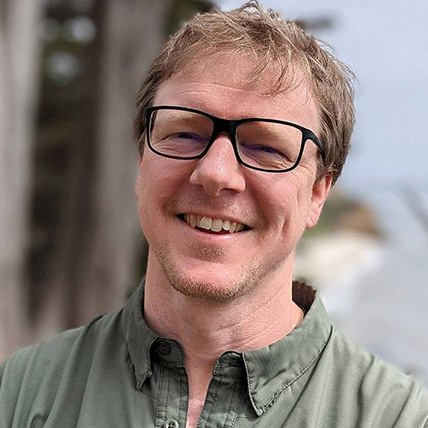
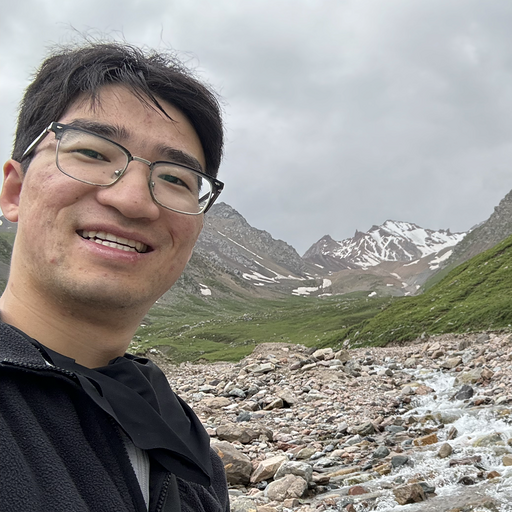
Instructors
Prerequisites
CS 107, MATH 51
Textbook
There is no required textbook for CS248B.
Discussion Boards
We will be using Ed for general class announcements and discussions. See the CS248B Ed page and the CS248B Canvas page.
Coursework
Programming assignments. Students will complete five programming assignments, P0 through P4. P0 is an ungraded warm-up, and P1 and P2 each include a mid-point check-in (an alpha version).
Exams. There are no exams in this course.
Collaboration. Students may work alone or with a partner on all assignments. Submissions from teams will be held to a higher standard during evaluation. All code you submit must be written by you and your partner. You may build on the starter code we provide and on code shown in lecture; if you adapt anything else, such as an example from documentation or a tutorial, say where it came from. Please do not post your solutions publicly, during or after the quarter, so future students get the same experience you did.
Late submission policy. CS248B uses point deductions rather than "late days."
- Late penalty. Late work is scaled by a daily penalty factor P. When I was a student, P was 0; in this class, P = 0.9. If your submission would earn grade G on time and you submit it D days late, you receive G × PD. For example, work graded 85 that is two days late scores 85 × 0.92 = 85 × 0.81 = 68.85, or 68.9. The penalty is a fraction of your grade, not points taken off: two days late costs 19% of whatever the work earned (1 − 0.81 = 0.19), not a flat 20 points.
- Partial late days allowed. The number of days late, D, is measured in fractional days and is not rounded up. The penalty therefore grows smoothly rather than jumping at each 24-hour mark, and being slightly over a deadline costs only a little: work submitted 1 hour late has D = 1/24 and keeps 0.91/24 ≈ 0.996 of its grade, so an 85 becomes about 84.6.
- Maximum lateness. No assignment is accepted more than
seven days after its deadline. Later submissions receive no credit.
Taken together, the share of your grade you keep at whole numbers of days late is shown below;
partial days fall in between.
Late penalty by number of days late Days late 0 1 2 3 4 5 6 7 over 7 Score kept 100% 90% 81% 72.9% 65.6% 59% 53.1% 47.8% 0 - The last submission is the one we grade. If you submit before the deadline and then resubmit afterwards, the later timestamp determines lateness for the whole assignment. If you would rather we grade your on-time version, do not resubmit. Assignments submitted in two places, on Canvas and on OpenProcessing, count as submitted at whichever of the two was updated last. For example, if your Canvas submission is on time but you edit your OpenProcessing sketch after the deadline, the assignment is late from the time of that edit. Once you have submitted, leave the sketch unchanged.
- Team submissions. The penalty applies to the submission, so both partners receive the same deduction.
- Extensions. If illness, a family emergency, or another serious disruption affects your work, contact the instructor, before the deadline where possible and otherwise as soon as you are able. Accommodations arranged through the Office of Accessibility Education are handled separately and are not affected by this policy.
Use of generative AI.
- Code: not permitted. Do not use generative AI to write, complete, debug, or translate code for any assignment. This includes chat assistants and AI autocomplete.
- Concepts: permitted. You may ask an AI to explain an idea from lecture, as you would a textbook, but not to help with an assignment's code.
- Textures and other artwork: permitted, with acknowledgement. You may use generative AI to create textures, sprites, and other static images. In your submission, list which images were generated and with what tool. We still encourage you to draw your own artwork and to support human artists.
- When in doubt, ask before using a tool, and disclose anything you are unsure about.